
Blog / Technology

Blog

All Technology Community Events & Activities Ford F-150 Ford Mustang Tips & Tricks Dealer Information Ford Edge Ford Ranger Safety Specs & Features Ford Escape Just For Fun Ford Explorer Holiday New Models Ford Fusion Ford Expedition Ford Flex Ford Focus Ford Raptor Ford Super Duty Ford Taurus Smyrna Ford Dealer Wade Ford Service Ford EcoSport Smyrna Used Cars
2019 Ford F-150 exterior front fascia and drivers side pulling boat

How to use the Pro-Trailer Backup Assist in your Ford Vehicle

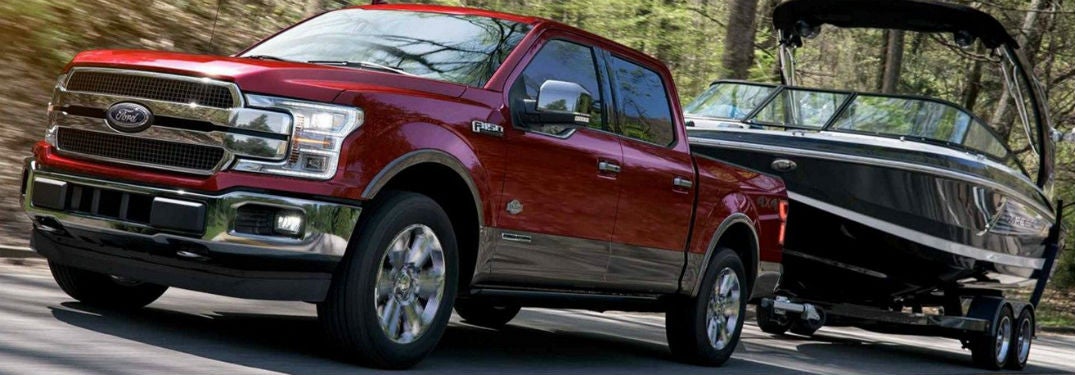
Learn not only how to use the Pro-Trailer Backup Assist in your Ford vehicle, but also how it can make backing up a vehicle and trailer so much easier. more Pro-Trailer Backup Assist video Want to watch the Pro-Trailer Backup Assist in action? Check out this video below to see how it works! How does the Pro-Trailer Backup Assist feature work? As you can see in the video, you use the knob to direct the trailer, while the technology of the Pro-Trailer Backup Assist actually calculates how much the steering wheel needs to be turned and does it for you, based on how much you turn the knob. You’ll also be in charge of the brake pedal to control how fast or slow you go. So, you’ll have your mirrors and the backup camera to help you determine which direction you need the trailer to go, and control over the trailer’s direction via the knob! This innovative technology makes backing a trailer up so much easier than what you’d previously need to do. This technology stars on the 2019 Ford F-150 as an optional feature. Want to see it in person? You can right here at Wade Ford. You can see how the Pro-Trailer Backup Assist works close up, so brace yourself to be amazed! Read more about the RV Towing & Trailering here! Find your Ford vehicle in Smyrna, GA Need a vehicle that can tow a trailer? You are in luck! Come on over to Wade Ford today! We have popular Ford vehicle, including the newly-released 2019 Ford Ranger and the ever-popular 2019 Ford F-150. While you are here don’t forget to ask us about the Wade Ford Advantage! You can find plenty of perks that come from buying from our minority-owned dealership.
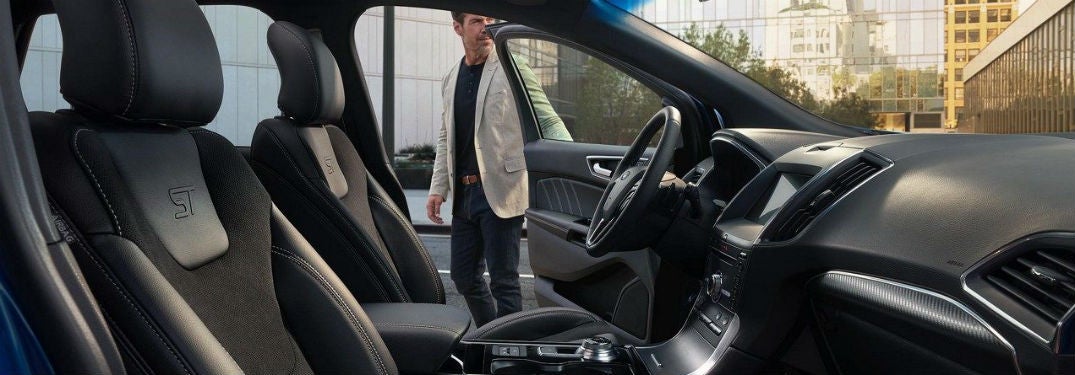
2019 Ford Edge interior side view of front cabin with man opening drivers side door

How to set up your SYNC® 3 Wi-Fi Hotspot system in your Ford vehicle

Don’t know how to set up your SYNC® 3 Wi-Fi Hotspot system in your Ford vehicle? Now you can! Check out our step-by-step guidelines on how to make your life just a bit easier with this great technology feature. After, you can contact us here at Wade Ford if you have any questions. more How to activate your SYNC® 3 Wi-Fi Hotspot Activate AT&T data plan. Go to the home screen, Click ‘Settings.’ Swipe left. Click on the Wi-Fi Hotspot tile. Turn on the hotspot. How to change the Wi-Fi password in your vehicle Go to the Wi-Fi Hotspot tile Click on ‘Settings.’ Click on ‘Edit.’ Click on ‘Change Password.’ Change the password to whatever you want. Click done. How to view your data usage for your Wi-Fi Hotspot Go to the Wi-Fi Hotspot tile. Click on ‘Data Usage.’ Authorize your car to view data. You can do this by using the Ford Pass App, or by going to att.com/ford. You can now view your data usage in your vehicle. How to connect to your car’s Wi-Fi Hotspot Tap ‘settings’ on your smartphone/Wi-Fi device. Enter in the password you set previously. You’re connected! Read More: Use your SYNC® 3 System to connect with Apple CarPlay® and Android Auto® Benefits of using the SYNC® 3 Wi-Fi If this is the first time you have activated the Wi-Fi Hotspot in your Ford vehicle, you’ll get the first 3 months or first 3 GB free. You can connect more than one phone, tablet, or laptop to your vehicle’s Wi-Fi hotspot, which can come in handy when you are traveling longer distances with many passengers. We don’t mean one or two other devices either—this Wi-Fi hotspot can be linked to up to 10 devices. The signal in your vehicle can potentially be stronger than the signal on your phone, so even if you have a data plan on your phone, this can reduce the potential of drop-outs. How often do you use your phone’s data to listen to music or look up directions in your car? We do too. This way, you can save your phone data by having a plan that is dedicated just to in-car entertainment and navigation. Visual learner? No problem! Click here to view a step-by-step video guide on how to set up your Wi-Fi Hotspot with SYNC® 3 Ford Vehicles with Wi-Fi Hotspots in Smyrna You can find your next Ford vehicle with this Wi-Fi Hotspot system right here in Smyrna, GA. Come on over to Wade Ford to pick out your new or used Ford vehicle today.

Passenger in Ford vehicle using touchscreen

What is the Savvy Car Plug device and how does the app work?

It’s amazing how some apps can go under the radar, even when they are great resources and tools for drivers to use alongside their vehicle. Say goodbye to the old paper filing system, because when you learn what the Savvy Car App is, you won’t need to use anything else. Check out where you can get the plug for this device below! more What does the Savvy Car App do? For all those who are skeptical; yes, the Savvy Car App actually works. By using this app you will be able to know: Where you’ve driven your vehicle When your vehicle needs an oil change Your vehicle’s health Teen driver notifications and alerts History of your car’s service Recalls on your car Schedule service for your vehicle Apply for credit How much fuel you’ve used Your driver’s license Registration of your car Even more. Download the Savvy Car app for your IOS here Download the Savvy Car app for your Andriod here Where to find the Savvy Car Plug for the app In order to use the Savvy Car app, you’ll need something called the ‘Savvy Pro Device,’ or the plug that you insert into the OBD-II port in your vehicle. You can find this device right here at Wade Ford! If you don’t know how to set it up, follow the instructions below or contact our team! We would be glad to help you. How do I pair my phone with the Savvy App? First, you’ll need to download the app to your phone. Click ‘Search Dealership’ and type in the name of the dealership you bought your car from. Click ‘Sign Up Now’ to make your account. Click on the ‘Add Device’ button, and then click ‘Register,’ which should be under the ‘SAVVY Pro device’. Accept the terms and conditions, and then click the start button. Find and enter the 10-digit ID code from the SAVVY Pro device. Click ‘continue.’ Insert the Savvy Pro plug into the OBD-II port in your vehicle. This is a small port located between the steering wheel and pedals. Start your vehicle. Follow the prompts in the app. Not as difficult as you expected, right? Even so, we understand this can get a bit complicated, so we encourage you to get in touch with our team here at Wade Ford if you have any questions! If you are looking for more neat tips and tricks you can find them right here on our blog, so be sure to check it out!

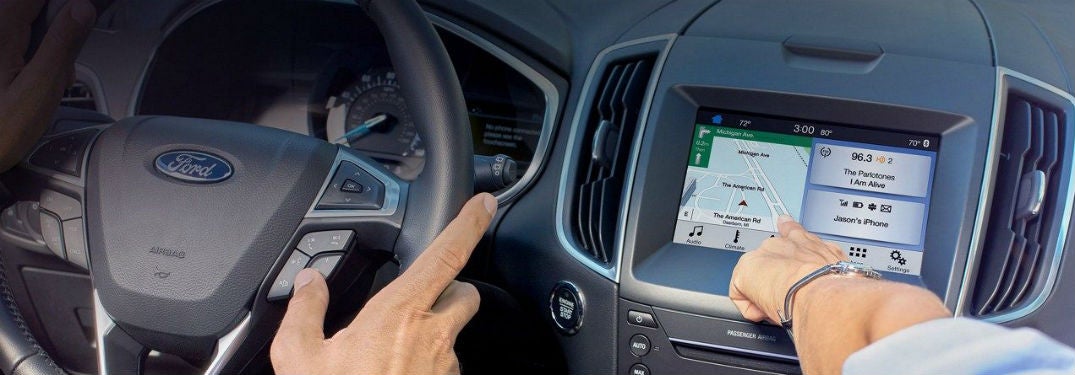
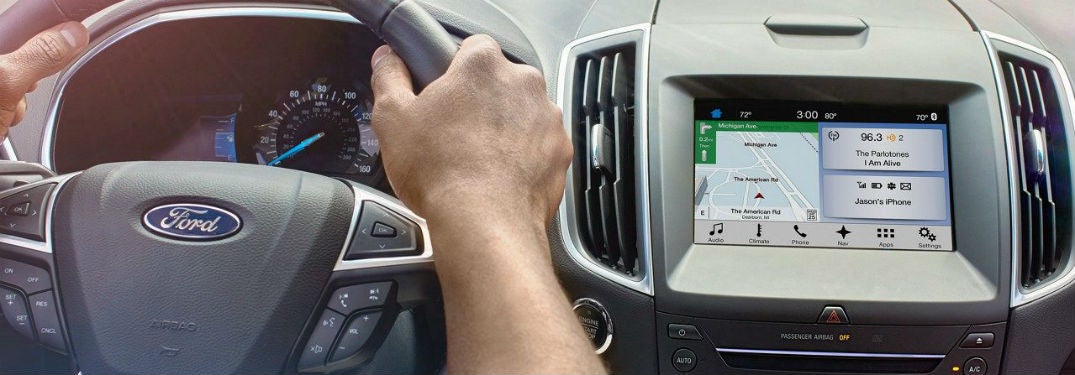
SYNC® 3 system in a Ford vehicle steering wheel and touchscreen

Use your SYNC® 3 system to connect with Apple CarPlay® and Android Auto®

If you’ve been looking for your future vehicle, you may have come across Apple CarPlay® and Android Auto® connectivity listed as two of the features you can get in your new Ford car, truck, or SUV. But did you know that you can use your SYNC® 3 system to connect with these two features? Here’s how! more Benefits of using Apple CarPlay® and Android Auto® Both features can be helpful to your drive. In fact, these features can help you stay compliant with the Hands-Free Georgia Act that many other states are also adopting. With Apple Car Play® and Android Auto®, you’re able to utilize voice commands and the easy-to-use Ford navigation screens while operating your vehicle. You can use these features to interact with others while you are driving by listening to voice messages and texts, replying to texts, making phone calls, and accessing directions to get to your destination. You can also access the songs and playlists from your favorite music streaming applications to listen to in your car. Read more: How do I use the Ford SYNC ® 3 Voice Command System? How to set up Apple CarPlay®® to SYNC® 3 Connect your USB cable to your smartphone. A screen will appear. Press ‘Continue’ to connect. This will only happen the first time you use this device. Accept the terms and conditions. Again, this will only happen when you first use this device. Tap ‘Yes’ to turn 911 Assist on. You can now interact with Apple CarPlay® through your touchscreen. This will enable you to use the voice controls and apps of this system through your Sync® 3 System. The apps you’ll be able to use are picked by the Apple CarPlay®. You should note that you can press the SYNC® icon to return to the SYNC® 3 touchscreen. By doing so, you’ll be able to use both the Apple CarPlay® and some features of the SYNC® 3 system. If you want to return to Apple CarPlay®, you can press the Apple CarPlay® icon at the bottom feature bar. How to use Android Auto® with SYNC®3 Tap ‘Settings’ on your touchscreen. Select ‘Android Auto® Preferences.’ Enable Android Auto®. Use plug in USB cable to phone and vehicle Select ‘continue’ from pop-up screen. You’ll only need to do this the first time. Agree to the terms and conditions. Another one that you’ll only need to do the first time. Select ‘yes’ to turn on the 911 Assist feature. Accept terms and conditions on your phone. You’ll only need to do this once. You can now use Android Auto® on your touchscreen! Like the Apple CarPlay®, this will allow you to use voice commands in your vehicle. The apps you can use are selected by Android Auto®. If you want to use your SYNC® 3 system, you can tap the tachometer icon at the bottom right corner of your screen. This will allow you to access both Android Auto® and some of the SYNC® 3 features. If you want to return to the Android Auto® system, simply click on the Android Auto® icon located on the bottom bar. Ford vehicles with the SYNC® 3 system in Smyrna, GA Need to find a Ford vehicle with the SYNC® 3 system in Smyrna, GA? Wade Ford is ready to help! We’re just a short drive from Atlanta, Marietta and Kennesaw. Wade Ford has a large and diverse selection of 2018 and 2019 Ford models with the SYNC® 3 system, so come on over to test drive your future vehicle today! As always, if you have any questions please don’t hesitate to contact us here at Wade Ford. Our knowledgeable team would be happy to help you out!

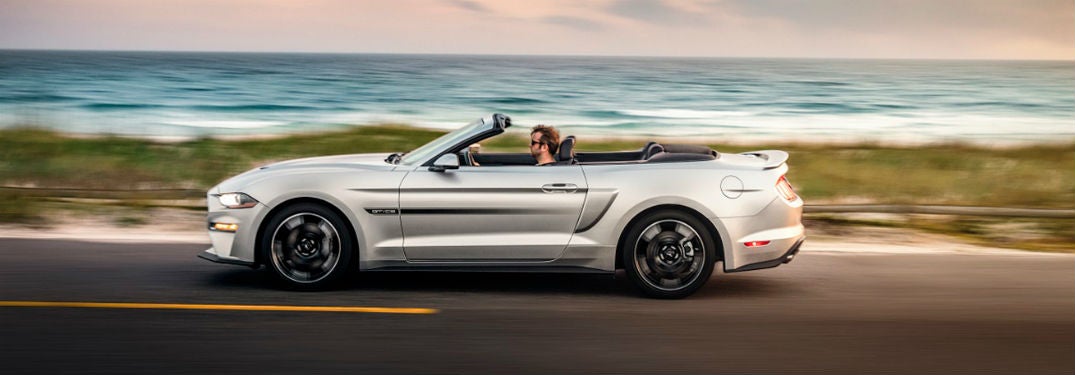
2019 Ford Mustang exterior drivers side profile man driving going fast on beach road

What is the MyMode technology feature the 2019 Ford Mustang?

While production vehicles are very convenient for producers and consumers alike, it can be difficult to personalize your car. After all, there are only so many color options you can choose from, and only so many trim levels. But, the 2019 Ford Mustang brings you a feature called the MyMode, which helps you take personalization to a whole new level. Let’s check out what this technology feature does for your drive! more Technology features in the 2019 Ford Mustang If you are looking to personalize your vehicle, the MyMode is a good way to go. This is a technology feature that you can have if you choose the available 12-inch LCD digital instrument cluster. While this is already something that many people enjoy, the MyMode brings everything up a notch. There’s no more need to constantly set the driving mode and settings when you hop in the car. MyMode will remember your preferred settings. This means that it will change the drive mode, exhaust, and steering options to match what you personally use. Of course, there are many other great technology features in the 2019 Ford Mustang. Things like the B&O™ Premium Sound System, which gives you 12 speakers and a subwoofer, so you can really crank up the music. You’ll also have HD Radio™ technology for you to listen to, in case you aren’t interested in your own playlists. Read more: How Does the 2019 Ford Mustang Stack Up Against its Competitors? Safety technology Even thrill seekers don’t actually enjoy getting hurt. That’s why it is best to have some great safety technology features. Thankfully, the 2019 Ford Mustang has the available Ford Safe and Smart package. This safety package includes things like the Lane-Keeping System, which does much like what the title says by notifying you if your vehicle starts to drift into a different lane. It also includes the Pre-Collision Assist with Pedestrian Detection. This, as you might imagine, gives you a warning if you are about to run into a pedestrian, and can potentially help you avoid a potential collision. While these features aren’t infallible, they do have the potential to help you avoid accidents. Get your 2019 Ford Mustang today Is a 2019 Ford Mustang one of your future vehicles? Then come on over to Wade Ford! You can take this vehicle for a test drive and see the MyMode and other technology features for yourself.

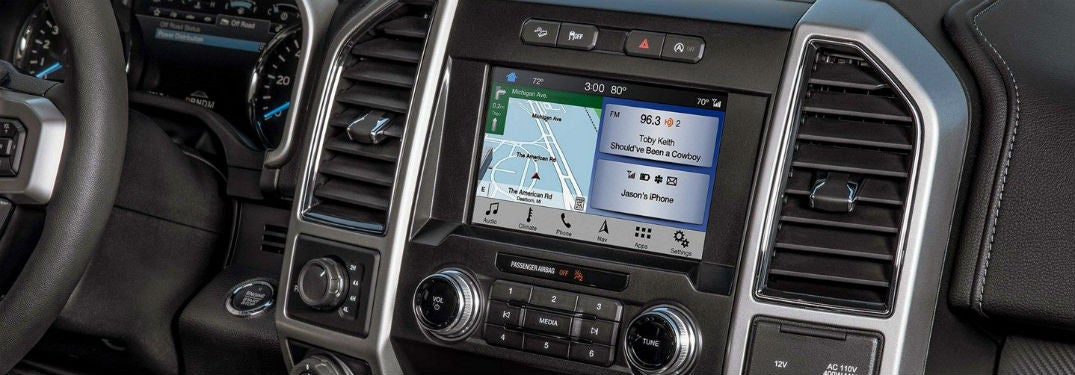
2019 Ford F-150 interior front cabin close-up of display screen

How do I use the Ford SYNC®3 Voice Command System?

Have you gone on Ford’s official YouTube channel lately? You may want to check it out. They’ve posted some helpful and informative things. We've taken one of their videos to share with you right here! Now, you can see how you can use the Ford SYNC®3 Voice Command System in your Ford vehicle. more Ford SYNC®3 how-to video Is it legal to use my phone when driving in Georgia? It is not legal to use your phone when driving in Georgia. This means that you cannot text, call, or use your phone to switch songs when you are driving. That’s where the benefits of the SYNC® 3 system comes in. If you have this system, you can do things like answer a text, listen to a text, and answer the phone, all with just a few voice commands. So, if you have the SYNC® 3 system you can potentially help your drive be safer using this hands-free system. Voice commands of the SYNC® 3 system We won’t list all of the voice commands, but here are some you may find yourself using more often. “USB.” This puts it in USB mode, which you can then use these commands: “Play (track name) “Shuffle (on/off) Play artist (name) Play playlist (name) Play genre (name) “Bluetooth Audio” “Climate” pause for a bit “Max A/C” “Set temperature to (number) degrees” “Call (name) on cell/work/home” “Find POI/Place (name, such as ‘bookstore’ or ‘airport’) “Listen to text message” “Reply to text message” These are only a few commands you can use. If you are looking for more, you can contact us here at Wade Ford, or look on the official Ford website! Where can I find a Ford vehicle that uses SYNC® 3 near Smyrna? People who live in cities or towns close to Smyrna such as Marietta, Atlanta, Sandy Springs, and Cumberland can come on over to Wade Ford! Here, you can find Ford vehicles that have the SYNC® 3 system! If you don’t know where to find us, you can get directions to our dealership here. We have many Ford vehicles here at our dealership, so don’t miss out on your chance to get one today! A Ford vehicle with the SYNC® 3 system can be a great help to your daily drive, and can potentially help keep your drive safer with its hands-free experience. We hope this has helped you figure out how to use this excitingly convenient technology. If you have any further questions please don’t hesitate to contact us here at Wade Ford! For more neat tips and tricks, be sure to check out our blog.

2019 Ford Edge exterior front fascia and passenger side

Does the 2019 Ford Edge have a Rotary e-Shifter?

Yes! The 2019 Ford Edge does have the all-new Rotary e-Shifter. But there are so many other great technology features of the 2019 Ford Edge. Take a look below to see some of these available technology features. more Safety technology features of the 2019 Ford Edge Say goodbye to the usual gear shift, because you’ll now have a rotary gearshift dial. This helps to have more space and a less awkward console. But another exciting feature you can find in this vehicle is the Ford Co-Pilot360™ Technology. This technology provides driver-assist features including the Available Adaptive Cruise Control with Stop-and-Go, which helps you brake during slower traffic, and then helps you get back up to speed. You’ll also have Lance Centering, which means what you may think it does, as it helps you keep your car centered in your lane. Alongside these two technologies, you’ll have an available Evasive Steering Assist. This can potentially help you to avoid an oncoming crash. If your vehicle is still on track to hit a slower moving vehicle and your vehicle is to close for braking to have an effect, your vehicle can help steer itself away from the vehicle ahead of it by steering the vehicle away from the car ahead of you. The Pre-Collision Assist with Automatic Emergency Braking is one more thing to look forward to. This feature helps alert you to a potential crash and can help you brake. Read More: 2019 Ford Edge ST Horsepower and Performance Specs Convenience technologies in the Ford Edge But safety features are not the only features in the 2019 Ford Edge. Check out the available SYNC™ 3 with the Ford+ Alexa™. You’ll also see the B&O™ Premium Sound System by Bang & Olufsen™. You’ll also see more common things like USB ports, wireless phone charging, and can have parking assistance, though it’s only standard on some of the upper trims. If you have any questions about the technology features of the 2019 Ford Edge or are interested in taking the vehicle for a test drive, come and talk to us at Wade Ford. Our team of experts would love to tell you more about this vehicle or any other Ford model.

2019 Ford Ranger exterior front fascia under trees in forest

How does the 2019 Ford Ranger hold up when taken off-road?

Long story short? Yes, the 2019 Ford Ranger can be driven off-road. But there is so much more to it than just a simple yes or no answer on how this vehicle holds up when off-road. Check out some of the technologies and features that make this vehicle a prime choice for any off-road enthusiasts, or anyone who is looking for a sturdy midsized pickup truck. more FX4 Off-Road Package The FX4 Off-Road Package has a variety of features that help the 2019 Ford Ranger in its off-roading endeavors. While getting scratches on an off-road vehicle can seem pretty much inevitable, it can be extremely frustrating and sometimes even dangerous for the undercarriage of the truck to get damaged. That’s why the Ford Ranger has bash and skid plates in this off-road package. These features can potentially help keep your vehicle from getting damaged. To help with traction, you’ll have off-road tires with a unique tread pattern. This is paired with a screen that helps you keep an eye on the pitch, roll, and steering angle of the Ranger. Check it out: What are the 2019 Ford Ranger Color Options? Off-road Driver-Assist Technologies Electronic Locking Rear-Differential: If you are constantly finding yourself in areas that may not have the best traction, then the Electronic Locking Rear-Deferential can help with that. This feature helps when you are driving at low speeds on low-traction surfaces. This includes slippery or steep ramps as well as muddy, snowy, or sandy surfaces. Trail Control ™: Cruise control, brought to your off-roading expeditions. This is an optional technology feature that allows the user to have a consistent speed between one and twenty miles per hour. Terrain Management System ™: This feature brings four different driving modes to you; Mud Ruts, Grass/Gravel/Snow, Sand, and Normal. Other Driver-Assist Technologies There are other driver-assist technologies in this vehicle that are more suited for situations that aren’t off-road. These include things like the Pre-Collision Assist with Pedestrian Detection, Adaptive Cruise Control, and a Lane-Keeping System. Again, these are more for when you are driving on the road. Still, they have the potential to be very helpful as you navigate roads to and from your off-road destinations. We are extremely excited about the upcoming 2019 Ford Ranger! We’ll be posting what we know on our blog, so be sure to keep an eye out for other information on this vehicle. If you have any further questions then please don’t hesitate to contact us! Our team of experts would love to help you.

Ford Pass in Smyrna, GA | Wade Ford

4 Ways FordPass Makes Your Drive Easier

With convenience and connectivity becoming increasingly important considerations for vehicle buyers, Ford attempts to stay abreast of its competitors with the introduction of several new features over the past few years. One of its most significant tech offerings is the FordPass. This app is basically a transportation concierge program that enables you to perform a wide range of driving-related tasks more easily, from booking parking spots to locating gas stations. Discover how FordPass can contribute to a more convenient and pleasant driving experience. What Is FordPass? While its main function is to help you find parking, FordPass can also perform many other tasks. It makes driving easier by allowing you to do what you used to do with several different apps on one single app. It enables you to locate parking spots and gas stations, control your vehicle remotely, make payments, and obtain a wide range of information about your vehicle. FordPass is compatible with both Android and Apple smartphones. more Four Useful FordPass Functions Book Parking Spots With FordPass, you can look for parking spots, view prices, and make reservations before you leave your home. The system can help you book parking spaces directly with Parkopedia and Parkwhiz and access airport parking via FlightCar. If you like a particular parking spot that you have previously used, you can save it on the app and reserve it the next time you need to park at the same destination. Find Gas Stations FordPass also comes with a fuel-checking function that enables you to keep track of your vehicle's fuel level from a remote location. This can help you avoid the unfortunate situation of running out of gas. When you need to fill up, you can use the app to look for a gas station in your vicinity. It'll map out all the gas stations within a certain distance from you and provide all the information you need about their fuel offerings, including brands, grades, and prices. It ensures that you'll always get the best deal whenever you need to refuel your vehicle. Control Your Vehicle Remotely Besides checking fuel levels, you can also lock and unlock your vehicle and start the engine remotely with FordPass. You'll especially appreciate the remote engine start feature during winter because it allows you to warm up your car's cabin before you step out of your house. The remote lock/unlock function can be used to keep your car safe if you forget to lock it. Provide Access to 24/7 Assistance With the FordPass app, you'll have easy access to Ford's friendly and helpful FordGuide team. Experts will be available on live chat or over the phone to answer any question you may have about FordPass. Additionally, they can help you arrange for roadside assistance if your vehicle runs out of gas, has a flat tire, or needs towing. FordPass is a useful feature that can make driving easier and help you reduce your fuel and parking costs. If you're planning to purchase a Ford vehicle, make sure you ask about this awesome app. Image via Ford.com

2019-Ford-Edge-with-radar_o

Ford adds standard safety features to 2019 lineup

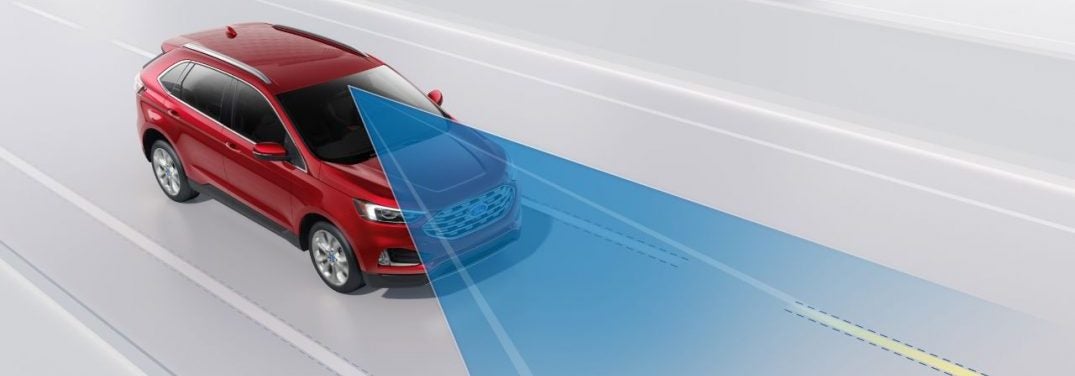
First look at the features included in Ford Co-Pilot360™ For anyone on the road, safety is a primary concern. When you get behind the wheel of a vehicle, you're responsible for paying attention to what is happening around you. While most drivers are capable of focusing on what they are doing, there are always times where paying attention to the road might slip to the back of your mind, which is why Ford is adding Ford Co-Pilot360™ to many of the new 2019 models. more Ford Co-Pilot360™ compiles some of the most popular driver assistance features to help drivers when they're on the road. This suite consists of automatic emergency braking with pedestrian detection, lane keeping system, auto high beams, a reverse camera, and a blind spot information system with cross traffic alert. The addition of the blind spot information system and cross traffic alert makes Ford Co-Pilot360™ the most advanced standard grouping of driver-assistance features among its non-luxury competitors. Related: How Ford Pre-Collision with Pedestrian Detection Works Which vehicles will be equipped with Ford Co-Pilot360™ As manufacturers continue edging closer to autonomous driving, safety features are becoming are important aspects that drivers consider when they're looking to buy a new vehicle. Those who are looking for the Ford Co-Pilot360™ suite will be able to find it in fall, 2018, when the 2019 Ford Edge and the Ford Edge ST are released. Drivers can expect to see the system being rolled out across the rest of the 2019 Ford car, SUV, and truck lineup, with plans to expand to the commercial series by 2020.  While you won't be able to test drive a vehicle equipped with Ford Co-Pilot360™ until fall, you can try some of the systems, which are available on some current Ford models. Drivers who are looking for a vehicle with all the advanced safety features available as options can visit Wade Ford to test out vehicles like the 2018 Ford Escape.

two-construction-workers-using-Ford-SYNC-3-with-phone-connection-in-Ford-vehicle

How to Pair Your Phone with Ford SYNC 3

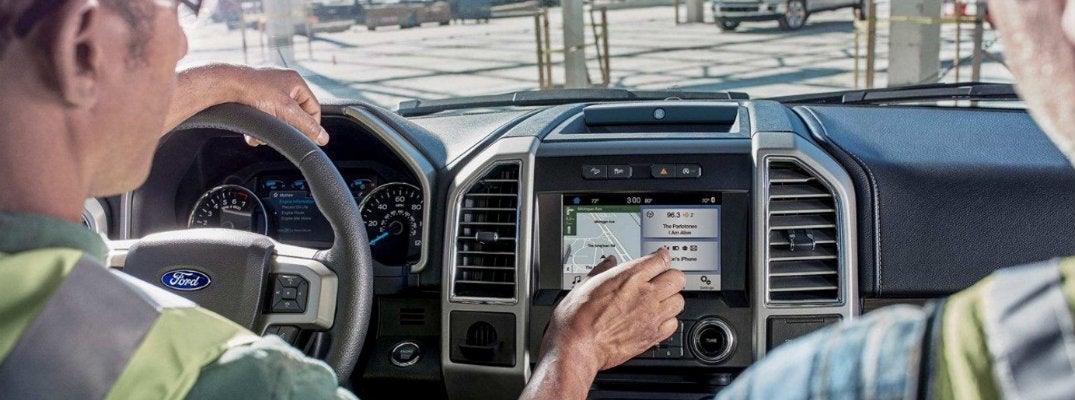
When you purchase a new Ford vehicle, you may be exposed to several new technology features. The first step to being able to utilize these features is learning how they work. For instance, if you are looking to access your phone and music through Ford SYNC 3, you will need to pair your phone with the system. In order to do so, all you have to do is follow these pairing instructions. Once your phone is connected, you will be able to make and receive calls as well as stream your favorite tunes. more You may also like: How does Ford Pre-Collision with Pedestrian Detection work? Bluetooth Pairing Instructions for Ford SYNC 3 Start your Ford vehicle and make sure your phone is turned on. Enable and turn on your phone's Bluetooth settings. On the bottom of your SYNC 3 display screen, press Settings. Choose Bluetooth, then Add a Bluetooth Device. Turn back to your phone's Bluetooth settings. Your phone should scan for Bluetooth devices. Your Ford's SYNC 3 system should show up in the list of devices. Select it. Both the vehicle display screen and your phone should display a PIN. Ensure they match and accept the pairing on both. A screen may pop up on the SYNC 3 system asking if you want to "Set as Favorite Phone" and/or "Auto-Download" contacts. You can either accept or deny. Press Finish to complete the pairing process. There you have it! Your phone should now be connected to your Ford SYNC 3 system. If you run into problems during the pairing process or have questions about what you can do now that your phone is connected, feel free to contact our team at Wade Ford or get in touch with your local Ford dealer. Contact Us

2018 Ford Taurus Features

Here's what's new on the 2018 Ford Taurus

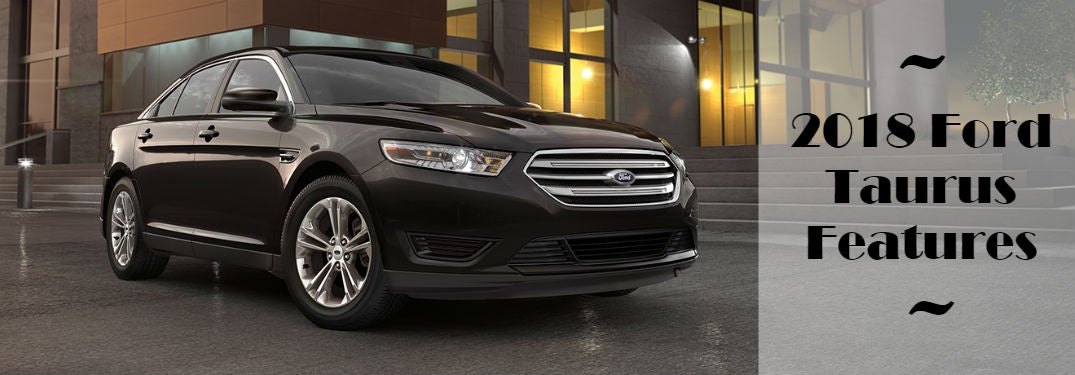
2018 Ford Taurus Features The new Taurus is bringing performance and functionality into a stylish sedan.  It offers drivers plenty of benefits and great technology.  Here are some of the new 2018 Ford Taurus features to expect. more The Ford Taurus is one of the most iconic sedans by Ford, easily recognized while on the road and is a great vehicle because of the great usability and versatility that it offers.  And the new 2018 Taurus doesn't end that trend.  The big, bold body of the Taurus is refined down to the details to give off a sophisticated yet ready for fun feel.  And the interior is designed with detailed craftsmanship that looks great and provides occupants with superior comfort. There are innovative comfort features that are available as well.  Like a heated steering wheel, heated rear and front seats, plus the front seats are also abled to be cooled.  And to keep everyone entertained, the Taurus offer a quality Audio System from Sony® with Clear Phase® and Lice Acoustics™.  And it features 12 speakers around the cabin for a full immersive feeling.  Plus, the system includes Clear Phase technology that provides static-free and really sharp sounding reception. 2018 Ford Taurus Intelligent Technology The new Taurus also features advanced safety, convenience and driver-assistive technologies.  Making driving easy and efficient no matter where you go.  Here are some of the available technologies for the Taurus: SYNC® 3 (voice-activated technology) Blind Spot Information System with cross-traffic alert Adaptive Cruise Control Forward Collision Warning with brake support Active Park Assist Lane-Keeping System Push Button Start Navigation with SiriusXM Traffic and Travel Link® Plus, many more! Controls Previous Next If you are interested in the new Ford Taurus, contact us at Wade Ford to stay updated on when it arrives on our lot! Check out the free Wade Ford App for a complete resource of our dealership!

Contact Us

Fill out this form below and we'll contact you shortly
*Required Fields