Blog / Specs & Features

What is the Savvy Car Plug device and how does the app work?

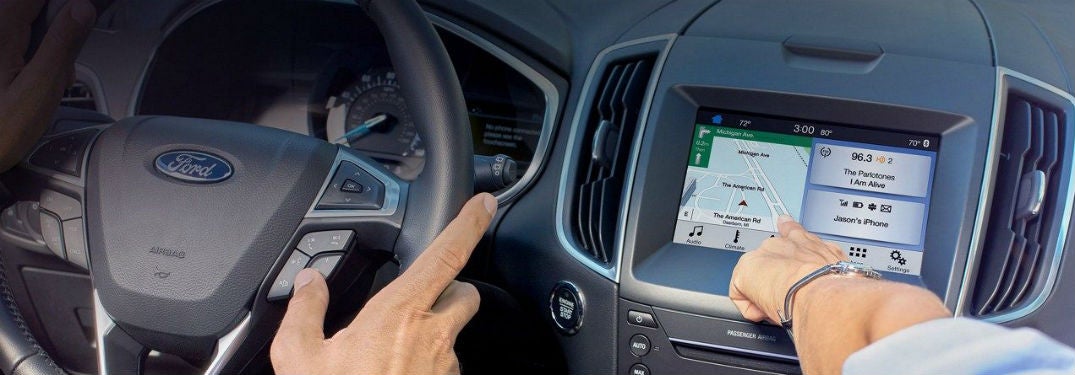
Passenger in Ford vehicle using touchscreen
It’s amazing how some apps can go under the radar, even when they are great resources and tools for drivers to use alongside their vehicle. Say goodbye to the old paper filing system, because when you learn what the Savvy Car App is, you won’t need to use anything else. Check out where you can get the plug for this device below!

What does the Savvy Car App do?

For all those who are skeptical; yes, the Savvy Car App actually works. By using this app you will be able to know:
  • Where you’ve driven your vehicle
  • When your vehicle needs an oil change
  • Your vehicle’s health
  • Teen driver notifications and alerts
  • History of your car’s service
  • Recalls on your car
  • Schedule service for your vehicle
  • Apply for credit
  • How much fuel you’ve used
  • Your driver’s license
  • Registration of your car
  • Even more.
Download the Savvy Car app for your IOS hereDownload the Savvy Car app for your Andriod here
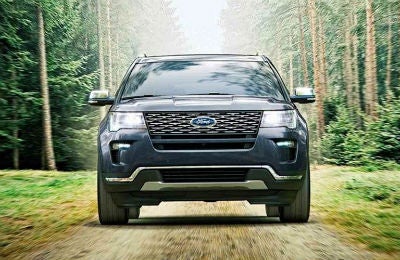
2019 Ford Explorer exterior front fasciaWhere to find the Savvy Car Plug for the app

In order to use the Savvy Car app, you’ll need something called the ‘Savvy Pro Device,’ or the plug that you insert into the OBD-II port in your vehicle. You can find this device right here at Wade Ford! If you don’t know how to set it up, follow the instructions below or contact our team! We would be glad to help you.

How do I pair my phone with the Savvy App?

  1. First, you’ll need to download the app to your phone.
  2. Click ‘Search Dealership’ and type in the name of the dealership you bought your car from.
  3. Click ‘Sign Up Now’ to make your account.
  4. Click on the ‘Add Device’ button, and then click ‘Register,’ which should be under the ‘SAVVY Pro device’.
  5. Accept the terms and conditions, and then click the start button.
  6. Find and enter the 10-digit ID code from the SAVVY Pro device.
  7. Click ‘continue.’
  8. Insert the Savvy Pro plug into the OBD-II port in your vehicle. This is a small port located between the steering wheel and pedals.
  9. Start your vehicle.
  10. Follow the prompts in the app.
Not as difficult as you expected, right? Even so, we understand this can get a bit complicated, so we encourage you to get in touch with our team here at Wade Ford if you have any questions! If you are looking for more neat tips and tricks you can find them right here on our blog, so be sure to check it out!

Posted in:

Related Posts

SYNC® 3 system in a Ford vehicle steering wheel and touchscreen

Use your SYNC® 3 system to connect with Apple CarPlay® and Android Auto®

If you’ve been looking for your future vehicle, you may have come across Apple CarPlay® and Android Auto® connectivity listed as two of the features you can get in your new Ford car, truck, or SUV. But did you know that you can use your SYNC® 3 system to connect with these two features? Here’s how! more Benefits of using Apple CarPlay® and Android Auto® Both features can be helpful to your drive. In fact, these features can help you stay compliant with the Hands-Free Georgia Act that many other states are also adopting. With Apple Car Play® and Android Auto®, you’re able to utilize voice commands and the easy-to-use Ford navigation screens while operating your vehicle. You can use these features to interact with others while you are driving by listening to voice messages and texts, replying to texts, making phone calls, and accessing directions to get to your destination. You can also access the songs and playlists from your favorite music streaming applications to listen to in your car. Read more: How do I use the Ford SYNC ® 3 Voice Command System? How to set up Apple CarPlay®® to SYNC® 3 Connect your USB cable to your smartphone. A screen will appear. Press ‘Continue’ to connect. This will only happen the first time you use this device. Accept the terms and conditions. Again, this will only happen when you first use this device. Tap ‘Yes’ to turn 911 Assist on. You can now interact with Apple CarPlay® through your touchscreen. This will enable you to use the voice controls and apps of this system through your Sync® 3 System. The apps you’ll be able to use are picked by the Apple CarPlay®. You should note that you can press the SYNC® icon to return to the SYNC® 3 touchscreen. By doing so, you’ll be able to use both the Apple CarPlay® and some features of the SYNC® 3 system. If you want to return to Apple CarPlay®, you can press the Apple CarPlay® icon at the bottom feature bar. How to use Android Auto® with SYNC®3 Tap ‘Settings’ on your touchscreen. Select ‘Android Auto® Preferences.’ Enable Android Auto®. Use plug in USB cable to phone and vehicle Select ‘continue’ from pop-up screen. You’ll only need to do this the first time. Agree to the terms and conditions. Another one that you’ll only need to do the first time. Select ‘yes’ to turn on the 911 Assist feature. Accept terms and conditions on your phone. You’ll only need to do this once. You can now use Android Auto® on your touchscreen! Like the Apple CarPlay®, this will allow you to use voice commands in your vehicle. The apps you can use are selected by Android Auto®. If you want to use your SYNC® 3 system, you can tap the tachometer icon at the bottom right corner of your screen. This will allow you to access both Android Auto® and some of the SYNC® 3 features. If you want to return to the Android Auto® system, simply click on the Android Auto® icon located on the bottom bar. Ford vehicles with the SYNC® 3 system in Smyrna, GA Need to find a Ford vehicle with the SYNC® 3 system in Smyrna, GA? Wade Ford is ready to help! We’re just a short drive from Atlanta, Marietta and Kennesaw. Wade Ford has a large and diverse selection of 2018 and 2019 Ford models with the SYNC® 3 system, so come on over to test drive your future vehicle today! As always, if you have any questions please don’t hesitate to contact us here at Wade Ford. Our knowledgeable team would be happy to help you out!

2018 Ford Fiesta RS in Smyrna, GA | Wade Ford

3 Smartest Ford Vehicles for College Students

Whether you're about to start college or are a year away from graduating, having a reliable car is a must for any student. Most students look for a model of car that is stylish and won't break the bank. Here are three smart Ford vehicle purchases to make for school. 2018 Ford Fiesta SE This Ford model has been the party subcompact vehicle of the automaker's lineup since the 1970s and continues to maintain popularity among drivers for its value. It comes in well under the $20,000 mark, depending upon the trim level chosen. All Fiesta models for 2018 come standard with a rearview camera. The SE trim comes with MyKey parental controls, power windows, and cruise control. Add on the appearance package to get enhanced voice controls and the SYNC 3 infotainment system with a 6.5-inch screen and Android Auto and Apple CarPlay compatibility. The Fiesta SE comes with automatic or manual transmission options and a 1.6-liter Ti-VCT I-4 engine. Overall this model stands out for the sport-tuned suspension, responsive steering, and good handling around turns. The ride is also relatively comfortable, and the Fiesta is one of the top cars when it comes to handling noise and vibration. more 2018 Ford Escape The 2018 Ford Escape is the small yet budget-friendly SUV entry on this list for a smart purchase. It comes with three different engine options including the base I-4 engine that produces 168 horsepower. Those who want even more power in their engine may want to consider the 2.0-liter turbo-4 that produces 245 horsepower. This gives the vehicle more zip while driving, yet maintains the Escape firm handling. The interior has a good amount of cargo storage making it an option for students that commute back and forth to campus. Unlike previous model years, Ford has opted to change out the older MyFord Interface with a cleaner, brighter, and more responsive touchscreen interface. It has comfortable seating, and the exterior features a tailgate that responds to gestures for times when you're loaded down with stuff. 2018 Ford Focus Another popular car in the Ford lineup is the 2018 Focus. Like the Fiesta, it's a more compact car that's comfortable and drives well. It also comes in several different trim levels, including an electric one. However, out of them all, the SEL provides the best combination of features and function. It comes with a 2.0-liter engine, the SYNC 3 infotainment system, rear parking sensors, dual-zone climate control, and Android Auto and Apple CarPlay compatibility. The Focus also has a lot of cargo space in it. Merely purchasing a base model vehicle, or even a beater, isn't a solution for college students who see their vehicles as long-term investments. All three of these Ford vehicles offer enough features to take you from the first day of classes to the last, as well as from home to work to school. Visit Wade Ford to see all of the best purchases for students and to schedule a test drive. Image via peterolthof | Licensed by CC BY-ND 2.0

2019 Ford F-150 exterior front fascia and drivers side pulling trailer

What makes the 2019 Ford F-150 such a good pickup truck to drive?

If you are looking for best in class towing, a powerful engine, and a steady dependability that you can count on to get the job done, then the 2019 Ford F-150 may be the pickup truck for you. This vehicle has the power and performance that compels many shoppers to gravitate toward it. But don’t take our word for it. Check out some of the highlights that make this pickup truck a good option to drive. more 2019 Ford F-150 Power and Performance Check out the 3.5L EcoBoost® twin-turbo V6 engine that generates 375 horsepower and 470 lb.-ft. of torque. It also has a conventional towing rate of 12,000 pounds. Not too shabby, right? Of course, if you are looking for a diesel engine, then you might want to look at the 3.0L Power Stroke® Turbo Diesel engine. This engine has 250 hp and 440 lb.-ft. of torque. It also has a towing rate of 11,400 lbs. Other engines include the 5.0L V8 engine, which has 395 horsepower and 400 lb.-ft. of torque. No matter which one you choose, these available engines have some promising specs for you to look forward to. Read More: How does the 2019 Ford Ranger hold up when taken off-road? Technologies in the Ford F-150 While powerful engines and great performance may be the highlight of this pickup truck, there are plenty of other features that make this a desirable vehicle to drive. Among these features are driver-assist technologies that can help you on the road and during the job. One of these features is the Pro Trailer Backup Assist™, which as you might imagine, can help you back the trailer and your vehicle up to potentially help things go a bit smoother. To go along with this, you can also have the Dynamic Hitch Assist, which aids you when you are attempting to hitch your trailer. The Blind Spot Information System, also known as the BLIS®, with trailer coverage* tells you not only when there is a car in your blind spot, but also when there is a vehicle beside your trailer. These aren’t the only highlights of the 2019 Ford F-150, so if you are interested in learning more please don’t hesitate to contact us here at Wade Ford! You can take it for a test drive and see the power and performance for yourself!