
Blog / Tips & Tricks

Blog

All Tips & Tricks Community Events & Activities Ford F-150 Technology Ford Mustang Dealer Information Ford Edge Ford Ranger Safety Specs & Features Ford Escape Just For Fun Ford Explorer Holiday New Models Ford Fusion Ford Expedition Ford Flex Ford Focus Ford Raptor Ford Super Duty Ford Taurus Smyrna Ford Dealer Wade Ford Service Ford EcoSport Smyrna Used Cars
Thermometer in Smyrna, GA | Wade Ford

4 Ways to Keep Your Car Cool in Warm Weather

The Atlanta climate can heat up quick. With average highs at 80 or above from May through September, you have a long stretch of potentially warm weather to contend with. As the sun beats down on your vehicle, temperatures inside can peak at more than 200 degrees. No one likes to sweat it out in a sweltering vehicle, so try these tips to keep your car cool and comfortable, no matter the weather. Use a Sun Shade Sun shades might seem kitschy, but they're actually very effective. Pop up a reflective shade when you park and turn the reflective side to face the interior. Blocking sunlight from the steering wheel, seat belt buckles, and other key surfaces will lower their temperature dramatically, sometimes by as much as 50 degrees. Where you might have burned your hands before, you'll now be able to touch your vehicle safely. Whether you go simple or silly with your design, a sun shade is a functional feature that will keep your car far more comfortable. Push Hot Air Out Before getting into a hot parked vehicle, fan some of the warm air out. Roll down the passenger side window, and fan the driver's side door by opening and closing it quickly. This pushes air through the car and out the opposite side. The stifling air that's built up inside the vehicle should make its way out the other side quickly and efficiently. This is a fast way to cool down your car before driving, though you might garner some unusual looks as you do it. Cool Down Your Seats Sitting on hot car seats can lead to unsightly sweat stains over long rides. Keep yourself comfortable by keeping your seats cooler. Cloth seats are more comfortable than leather in hot weather, so keep this in mind when you're buying a new vehicle. Some new vehicles up the ante in this area by featuring air-conditioned seats, which circulate cool air through a porous mesh fabric. If you already have leather seats, consider using a cloth seat cover or towel during the hottest months of the year. Cooling gel cushions are available for your car seats, as well, though you'll want to keep these in the house when they're not in use to maintain their efficacy. Use Your Air Conditioner Right Get the best performance from your car's air conditioner by turning it on full blast when you first start the vehicle. Drive with your windows down for the first 10 to 20 minutes to allow hot air to escape while your AC system pumps cooler air in. When you've reached a comfortable temperature in the car, roll your windows up and set the air conditioner to use recirculating air. This will keep your space as chilled as possible. With these smart tactics, you can battle the worst of the summer weather effectively while you're confined to your car. Stay comfortable on the road so your vacations aren't hindered by the heat. Image via Mr.TinDC | Licensed by CC BY-ND 2.0

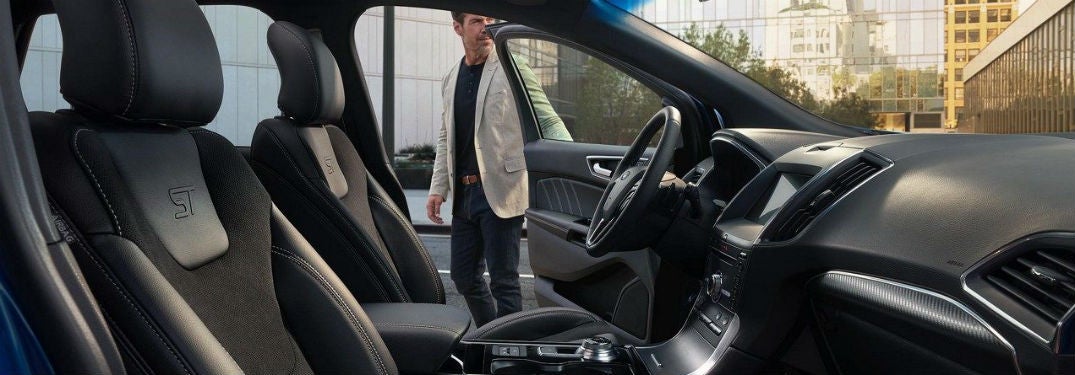
2019 Ford Edge interior side view of front cabin with man opening drivers side door

How to set up your SYNC® 3 Wi-Fi Hotspot system in your Ford vehicle

Don’t know how to set up your SYNC® 3 Wi-Fi Hotspot system in your Ford vehicle? Now you can! Check out our step-by-step guidelines on how to make your life just a bit easier with this great technology feature. After, you can contact us here at Wade Ford if you have any questions. How to activate your SYNC® 3 Wi-Fi Hotspot Activate AT&T data plan. Go to the home screen, Click ‘Settings.’ Swipe left. Click on the Wi-Fi Hotspot tile. Turn on the hotspot. How to change the Wi-Fi password in your vehicle Go to the Wi-Fi Hotspot tile Click on ‘Settings.’ Click on ‘Edit.’ Click on ‘Change Password.’ Change the password to whatever you want. Click done. How to view your data usage for your Wi-Fi Hotspot Go to the Wi-Fi Hotspot tile. Click on ‘Data Usage.’ Authorize your car to view data. You can do this by using the Ford Pass App, or by going to att.com/ford. You can now view your data usage in your vehicle. How to connect to your car’s Wi-Fi Hotspot Tap ‘settings’ on your smartphone/Wi-Fi device. Enter in the password you set previously. You’re connected! Read More: Use your SYNC® 3 System to connect with Apple CarPlay® and Android Auto® Benefits of using the SYNC® 3 Wi-Fi If this is the first time you have activated the Wi-Fi Hotspot in your Ford vehicle, you’ll get the first 3 months or first 3 GB free. You can connect more than one phone, tablet, or laptop to your vehicle’s Wi-Fi hotspot, which can come in handy when you are traveling longer distances with many passengers. We don’t mean one or two other devices either—this Wi-Fi hotspot can be linked to up to 10 devices. The signal in your vehicle can potentially be stronger than the signal on your phone, so even if you have a data plan on your phone, this can reduce the potential of drop-outs. How often do you use your phone’s data to listen to music or look up directions in your car? We do too. This way, you can save your phone data by having a plan that is dedicated just to in-car entertainment and navigation. Visual learner? No problem! Click here to view a step-by-step video guide on how to set up your Wi-Fi Hotspot with SYNC® 3 Ford Vehicles with Wi-Fi Hotspots in Smyrna You can find your next Ford vehicle with this Wi-Fi Hotspot system right here in Smyrna, GA. Come on over to Wade Ford to pick out your new or used Ford vehicle today.

Passenger in Ford vehicle using touchscreen

What is the Savvy Car Plug device and how does the app work?

It’s amazing how some apps can go under the radar, even when they are great resources and tools for drivers to use alongside their vehicle. Say goodbye to the old paper filing system, because when you learn what the Savvy Car App is, you won’t need to use anything else. Check out where you can get the plug for this device below! What does the Savvy Car App do? For all those who are skeptical; yes, the Savvy Car App actually works. By using this app you will be able to know: Where you’ve driven your vehicle When your vehicle needs an oil change Your vehicle’s health Teen driver notifications and alerts History of your car’s service Recalls on your car Schedule service for your vehicle Apply for credit How much fuel you’ve used Your driver’s license Registration of your car Even more. Download the Savvy Car app for your IOS here Download the Savvy Car app for your Andriod here Where to find the Savvy Car Plug for the app In order to use the Savvy Car app, you’ll need something called the ‘Savvy Pro Device,’ or the plug that you insert into the OBD-II port in your vehicle. You can find this device right here at Wade Ford! If you don’t know how to set it up, follow the instructions below or contact our team! We would be glad to help you. How do I pair my phone with the Savvy App? First, you’ll need to download the app to your phone. Click ‘Search Dealership’ and type in the name of the dealership you bought your car from. Click ‘Sign Up Now’ to make your account. Click on the ‘Add Device’ button, and then click ‘Register,’ which should be under the ‘SAVVY Pro device’. Accept the terms and conditions, and then click the start button. Find and enter the 10-digit ID code from the SAVVY Pro device. Click ‘continue.’ Insert the Savvy Pro plug into the OBD-II port in your vehicle. This is a small port located between the steering wheel and pedals. Start your vehicle. Follow the prompts in the app. Not as difficult as you expected, right? Even so, we understand this can get a bit complicated, so we encourage you to get in touch with our team here at Wade Ford if you have any questions! If you are looking for more neat tips and tricks you can find them right here on our blog, so be sure to check it out!

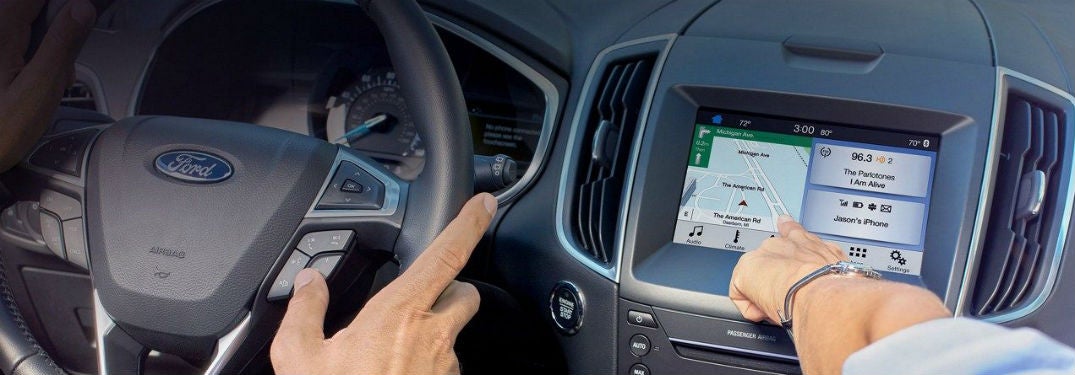
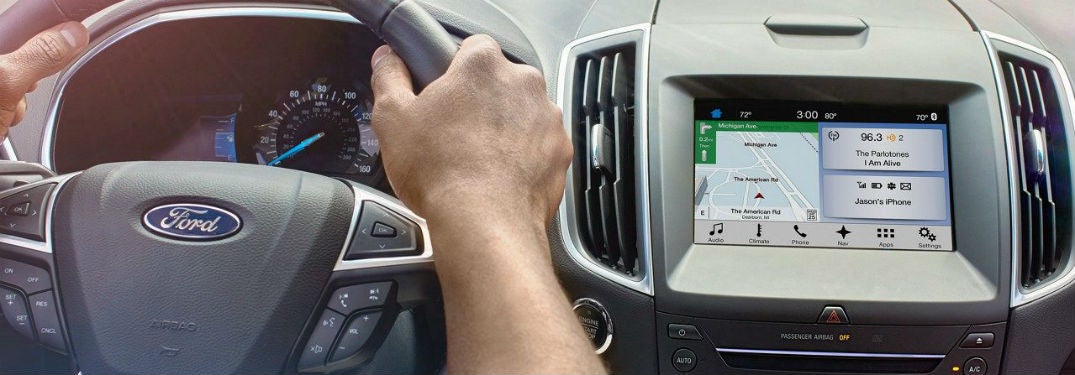
SYNC® 3 system in a Ford vehicle steering wheel and touchscreen

Use your SYNC® 3 system to connect with Apple CarPlay® and Android Auto®

If you’ve been looking for your future vehicle, you may have come across Apple CarPlay® and Android Auto® connectivity listed as two of the features you can get in your new Ford car, truck, or SUV. But did you know that you can use your SYNC® 3 system to connect with these two features? Here’s how! Benefits of using Apple CarPlay® and Android Auto® Both features can be helpful to your drive. In fact, these features can help you stay compliant with the Hands-Free Georgia Act that many other states are also adopting. With Apple Car Play® and Android Auto®, you’re able to utilize voice commands and the easy-to-use Ford navigation screens while operating your vehicle. You can use these features to interact with others while you are driving by listening to voice messages and texts, replying to texts, making phone calls, and accessing directions to get to your destination. You can also access the songs and playlists from your favorite music streaming applications to listen to in your car. Read more: How do I use the Ford SYNC ® 3 Voice Command System? How to set up Apple CarPlay®® to SYNC® 3 Connect your USB cable to your smartphone. A screen will appear. Press ‘Continue’ to connect. This will only happen the first time you use this device. Accept the terms and conditions. Again, this will only happen when you first use this device. Tap ‘Yes’ to turn 911 Assist on. You can now interact with Apple CarPlay® through your touchscreen. This will enable you to use the voice controls and apps of this system through your Sync® 3 System. The apps you’ll be able to use are picked by the Apple CarPlay®. You should note that you can press the SYNC® icon to return to the SYNC® 3 touchscreen. By doing so, you’ll be able to use both the Apple CarPlay® and some features of the SYNC® 3 system. If you want to return to Apple CarPlay®, you can press the Apple CarPlay® icon at the bottom feature bar. How to use Android Auto® with SYNC®3 Tap ‘Settings’ on your touchscreen. Select ‘Android Auto® Preferences.’ Enable Android Auto®. Use plug in USB cable to phone and vehicle Select ‘continue’ from pop-up screen. You’ll only need to do this the first time. Agree to the terms and conditions. Another one that you’ll only need to do the first time. Select ‘yes’ to turn on the 911 Assist feature. Accept terms and conditions on your phone. You’ll only need to do this once. You can now use Android Auto® on your touchscreen! Like the Apple CarPlay®, this will allow you to use voice commands in your vehicle. The apps you can use are selected by Android Auto®. If you want to use your SYNC® 3 system, you can tap the tachometer icon at the bottom right corner of your screen. This will allow you to access both Android Auto® and some of the SYNC® 3 features. If you want to return to the Android Auto® system, simply click on the Android Auto® icon located on the bottom bar. Ford vehicles with the SYNC® 3 system in Smyrna, GA Need to find a Ford vehicle with the SYNC® 3 system in Smyrna, GA? Wade Ford is ready to help! We’re just a short drive from Atlanta, Marietta and Kennesaw. Wade Ford has a large and diverse selection of 2018 and 2019 Ford models with the SYNC® 3 system, so come on over to test drive your future vehicle today! As always, if you have any questions please don’t hesitate to contact us here at Wade Ford. Our knowledgeable team would be happy to help you out!

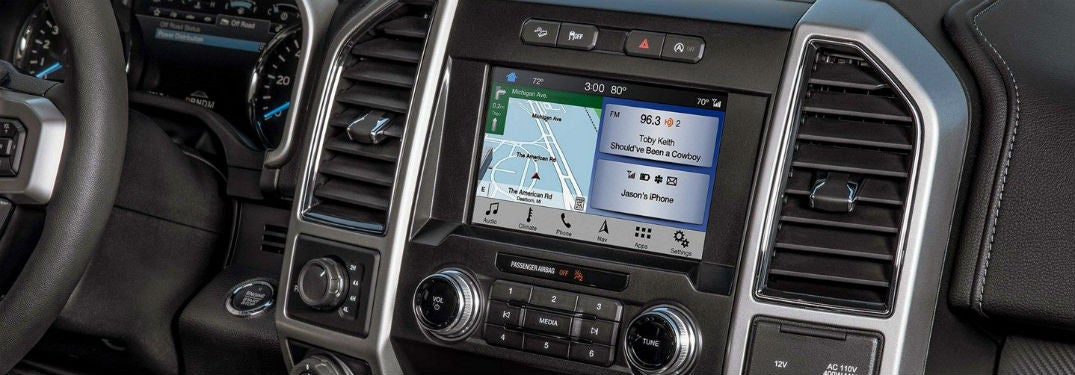
2019 Ford F-150 interior front cabin close-up of display screen

How do I use the Ford SYNC®3 Voice Command System?

Have you gone on Ford’s official YouTube channel lately? You may want to check it out. They’ve posted some helpful and informative things. We've taken one of their videos to share with you right here! Now, you can see how you can use the Ford SYNC®3 Voice Command System in your Ford vehicle. Ford SYNC®3 how-to video Is it legal to use my phone when driving in Georgia? It is not legal to use your phone when driving in Georgia. This means that you cannot text, call, or use your phone to switch songs when you are driving. That’s where the benefits of the SYNC® 3 system comes in. If you have this system, you can do things like answer a text, listen to a text, and answer the phone, all with just a few voice commands. So, if you have the SYNC® 3 system you can potentially help your drive be safer using this hands-free system. Voice commands of the SYNC® 3 system We won’t list all of the voice commands, but here are some you may find yourself using more often. “USB.” This puts it in USB mode, which you can then use these commands: “Play (track name) “Shuffle (on/off) Play artist (name) Play playlist (name) Play genre (name) “Bluetooth Audio” “Climate” pause for a bit “Max A/C” “Set temperature to (number) degrees” “Call (name) on cell/work/home” “Find POI/Place (name, such as ‘bookstore’ or ‘airport’) “Listen to text message” “Reply to text message” These are only a few commands you can use. If you are looking for more, you can contact us here at Wade Ford, or look on the official Ford website! Where can I find a Ford vehicle that uses SYNC® 3 near Smyrna? People who live in cities or towns close to Smyrna such as Marietta, Atlanta, Sandy Springs, and Cumberland can come on over to Wade Ford! Here, you can find Ford vehicles that have the SYNC® 3 system! If you don’t know where to find us, you can get directions to our dealership here. We have many Ford vehicles here at our dealership, so don’t miss out on your chance to get one today! A Ford vehicle with the SYNC® 3 system can be a great help to your daily drive, and can potentially help keep your drive safer with its hands-free experience. We hope this has helped you figure out how to use this excitingly convenient technology. If you have any further questions please don’t hesitate to contact us here at Wade Ford! For more neat tips and tricks, be sure to check out our blog.

man checking oil in car

When does the oil in my Ford vehicle need to be changed?

What maintenance should my Ford vehicle have regularly? If you drive, then you probably already know that your oil needs to be changed about every 10,000 miles. But what other maintenance is there, other than making sure there’s air in your tires? Here are some things you should regularly be checking in your Ford vehicle. How often should I rotate my tires? You should be rotating your tires from as soon as every 5,000 miles to around 10,000 miles. It’s a safe bet to rotate your tires when the oil is getting changed, especially since your car will already be in the shop. There are other things that you should be checking often, including things like your vehicle’s coolant levels, transmission fluid, and air filters. You should also make sure that the tread of your tires is deep enough. Bald tires can lead to accidents, especially in bad weather. Things like the headlights and taillights of your car are also features that you should keep an eye on. After all, it is difficult and dangerous to drive without fully functioning lights in the dark. While these are the more obvious things that you should keep an eye on, you might see some things needing work done more often than others., depending on how old your Ford is. However, there are things that will tell you when they need repair, such as your brakes, which can screech or squeal when they are going. The best way to tell if your vehicle needs maintenance is to pay attention to it as you drive. Are there any weird noises when you speed up, slow down, or idle? Does your car shake? Or has your fuel economy suddenly plummeted? These are all signs that you may need to take your car to the shop. Read more: How can I save money on a rental car? Where can I find vehicle maintenance in Smyrna? While it is a good thing to get vehicle maintenance done often, it can be a bit more difficult to find a good mechanic. However, if you live in or near Smyrna, GA, then you are in luck. Our team here at Wade Ford has the experience and knowledge needed to work quickly and efficiently to get your car back to you.

two mechanics under hood of car

Get your vehicle maintenance done before your 2018 holiday travels in Smyrna

Traveling during the holidays is by no means a strange concept. Whether you are going to visit family or are just taking a well-earned vacation, many people are going to be on the road this December. So, you may want to consider getting your vehicle maintenance done before your 2018 holiday travels here in Smyrna, GA. Wade Ford vehicle services We have plenty of vehicle services offered here at Wade Ford. This includes things like: Repairing or replacing the brakes of your vehicle Oil changes Filter changes Body repair Electrical repair Many other maintenance services your car may need to get in shape for your holiday travels. Our trusted team are experienced and friendly. If you suspect something is wrong with your vehicle, you can entrust the repairs to us! Read more: The 2019 Ford Edge provides a spacious way to drive in style How do I tell if my vehicle needs maintenance? While it can sometimes be difficult to know when something is wrong with your car, here are some warning signs that you may want to check out: Dashboard warning lights Vehicle or steering wheel shaking Abnormal squealing or screeching Weird smells Leaking fluids on the ground These are only a few things that may tell you something is wrong with your vehicle. The best way to keep your vehicle in its best shape is to make sure it has the proper maintenance regularly. That means you shouldn’t skip oil changes or tire rotations, and if you think there is something wrong with your brakes, take it into the shop! Having your brakes break in a familiar area can be frightening enough, but if they go when you are nowhere close to home, you’ll have to deal with mechanics you don’t know in an area you are unfamiliar with. If you have any further questions about vehicle services here at Wade Ford please contact us! We would love to help.

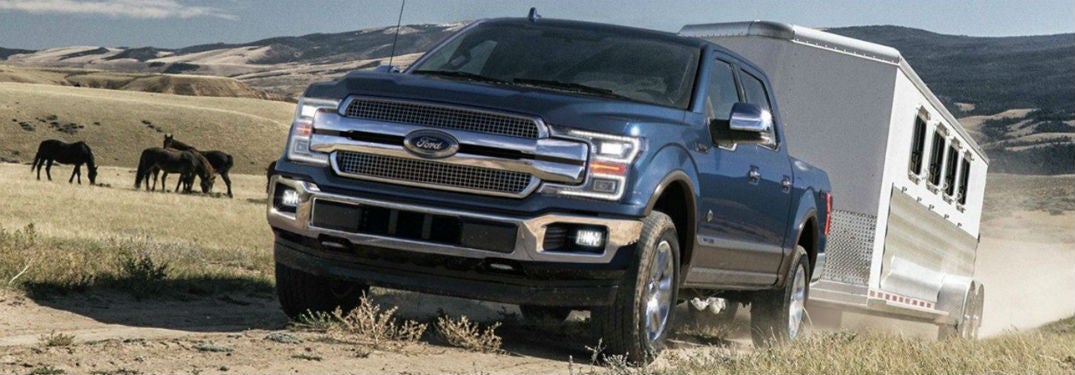
2019 Ford F-150 exterior front fascia and drivers side towing trailer

Is it legal to ride in the bed of a pickup truck in Georgia 2018?

Should you find yourself with the inclination to ride in the bed of a pickup truck in Georgia, you may want to reconsider not only whether if it is legal, but also whether or not it is a good idea. Spoiler alert; it's not a good idea. Is it safe to ride in a truck bed? You forgot the chains and straps you need to hold those boxes or whatever you need in place. It may be tempting to have a buddy or teenager hop in the back of the truck to hold it in place. But you may want to hold up on this, especially if it is a minor in the bed of the truck. If we are completely ignoring the fact that common sense says it’s probably not a good idea to ride in the bed of a truck, then maybe you’ll want to check out the other reasons why it’s a bad idea to do so. First and foremost, unless you have a truck we’ve never heard of, there probably isn’t going to be seatbelts in the bed of the truck. Most states in the United States has a seatbelt law, and Georgia isn’t an exception. If the person who wants to ride in the bed of a truck is under 18, it is illegal for them to do so, and you can be ticketed for it. It is unwise to ride in the bed of a truck, especially if it is during high speeds. While you may have confidence in your own driving, you cannot control others. This means that the cars around you aren’t predictable, and you never know if someone isn’t paying attention. Accidents happen and getting into an accident while in the bed of a truck can be extremely dangerous and possibly fatal. Just think of how much more exposed the person in the back is, with no protective gear or seatbelt. Read more: Is it safe to turn your child’s car seat around? Get your tire rotation at Wade Ford today Keep your truck from the wear and tear of everyday use by keeping up with repairs. Have you gotten your tire rotation recently? It can be easy to forget to have common maintenance done, but it can be important to remember these things, especially if you are traveling over the holidays. Take a moment to schedule an appointment here at Wade Ford! Our friendly team would love to make sure your vehicle is in its best shape before you travel.

Is It Safe To Turn Your Childs Car Seat Around?

When should I turn my child’s car seat to face the front? It can be difficult to know just when you should turn your child’s car seat to face the front. Many people think that 2 years old is a good age to do so, but is it really? You will probably by surprised with the answer. Let’s take a look at what research suggests. Switching my kid’s car seat Switching your kid’s car seat from rear-facing to front-facing is an exciting milestone for any parent. However, you may want to restrain your excitement from switching the car seat too early. The American Academy of Pediatrics has done a recent study that suggests you actually might want to hold off on turning your child’s car seat to face the front. Instead of waiting until your kid is 2 years old, you might want to wait until they weigh at least 40 lbs. So, even if your child has turned 2, if they don’t weigh 40 lbs. yet, you might not want to switch the car seat to face the front. Of course, you should always check the seat's instruction manual. Verify what the manual says about the height and weight restrictions for your specific car seat. However, ultimately it is your decision. Family vehicles in Smyrna, GA It can be difficult to find a family vehicle that suits not only your needs, but those of your family as well. If you are near the Smyrna, Marietta, Kennesaw, or Atlanta, GA area and looking for the next vehicle for your family, then come on over here to Wade Ford. Our Ford Trucks and SUVs are durable, powerful, and spacious enough for most families. You can take these vehicles for a test drive, or simply contact our team of experts and schedule and appointment. At Wade Ford we're always happy to help. Feel free to reach out to learn more about the specs and features each Ford vehicle has to offer. Image via Ford

man in blue suit holding car keys

How can I save money on a rental car?

People over the age of 25 (in most cases) have the bit of a luxury of renting a car. When you go on vacation, you can’t exactly pack your own car into the airplane. No, you have to find your own means around at your destination. Could you use Uber? Lyft? A cab service? A bike? Yes, yes, yes, and yes. But wouldn’t it be better to just pick out a car and return it before you go home? Thus, car rental dealers were born. This whole experience can get expensive, but there are ways you can save money. Keep reading to learn how. You might also be interested in: How to pair your phone with SYNC3 3 ways to save on a rental car Go to a rental car dealer away from the airport Have you ever noticed a Hertz desk at the airport? Rental car agencies will often set up desks at the airport because it is extra convenient for travelers. How easy would it be to just pick up a car right after you land? Well, that convenience comes at a cost. Off-the-airport dealers can offer you the same car for 20-30% less. Try to find yourself to another Hertz. View our inventory Ask about and look for coupons A simple Google search will lead you to a land of coupons and discounts as far as the eye can see. Sound dramatic? Good. Rental car places offer tons of coupons because they know coupons help to bring in customers. Even if you just ask the dealer about what discounts they have, you’re bound to save a few bucks. Avoid higher end models If you’re shopping for a car that you will only have for a week or two, there is some justification for the thought of going all out. However, if your goal really is to be economical about it, you should check out less expensive vehicles and not worry about all the special features. Contact us

2018 Ford F-150 exterior front fascia and passenger side in construction site

Where can I find Ford vehicles near Smyrna, GA?

If you are becoming increasingly frustrated in trying to find Ford vehicles near Smyrna, GA, then you can take a deep breath, because we have plenty of them here at Wade Ford. Let’s take a look at what some of the more popular Ford vehicles are, and just why that is. What are the most popular Ford vehicles It may seem a little obvious to you, but we’ll tell you a bit about what Ford vehicles are popular with shoppers. Ford F-150. Do we really need to say much else? It’s the F-150. This pickup truck has claimed the top spot when it comes to popular Ford vehicles. Known for its power, strength, and resilience, the F-150 is a beast that can tackle any job you put it up against. Ford Edge: Hardy SUVs are more difficult to come by than you’d expect, but the Ford Edge is a dependable choice that is great for anyone shopping for a powerful but reliable vehicle. Ford Mustang: a sporty vehicle that intimidates the competitions and gives a power and speed that leave the driver breathless in exhilaration. These are only 3 of the many Ford vehicles, but they are 3 that are commonly sought out by car shoppers. If you want to learn more about them. The feel free to take a look at our blog, where we’ve posted our research about the various Ford vehicles, or contact us directly here at Wade Ford. We’d love to help you find your future Ford vehicle. Read More: What are the new Ford models? Car services in Smyrna, GA. Wade Ford offers a variety of car services in Smyrna. Take your vehicle in for basic maintenance, or more serious repairs. Either way, your vehicle is in the hands of our experienced team, who will work quickly and efficiently so you can get it back on the road. If you have any further questions, especially on the upcoming 2019 Ford models, don’t hesitate to contact us!

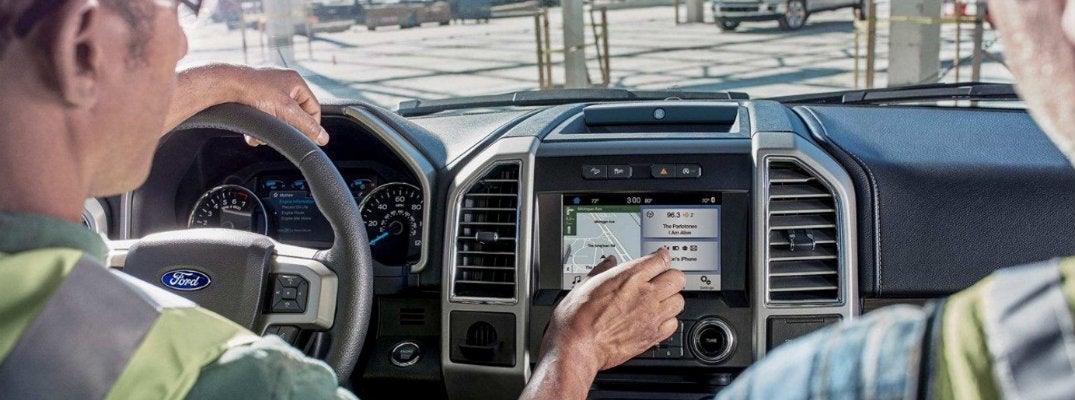
two-construction-workers-using-Ford-SYNC-3-with-phone-connection-in-Ford-vehicle

How to Pair Your Phone with Ford SYNC 3

When you purchase a new Ford vehicle, you may be exposed to several new technology features. The first step to being able to utilize these features is learning how they work. For instance, if you are looking to access your phone and music through Ford SYNC 3, you will need to pair your phone with the system. In order to do so, all you have to do is follow these pairing instructions. Once your phone is connected, you will be able to make and receive calls as well as stream your favorite tunes. You may also like: How does Ford Pre-Collision with Pedestrian Detection work? Bluetooth Pairing Instructions for Ford SYNC 3 Start your Ford vehicle and make sure your phone is turned on. Enable and turn on your phone's Bluetooth settings. On the bottom of your SYNC 3 display screen, press Settings. Choose Bluetooth, then Add a Bluetooth Device. Turn back to your phone's Bluetooth settings. Your phone should scan for Bluetooth devices. Your Ford's SYNC 3 system should show up in the list of devices. Select it. Both the vehicle display screen and your phone should display a PIN. Ensure they match and accept the pairing on both. A screen may pop up on the SYNC 3 system asking if you want to "Set as Favorite Phone" and/or "Auto-Download" contacts. You can either accept or deny. Press Finish to complete the pairing process. There you have it! Your phone should now be connected to your Ford SYNC 3 system. If you run into problems during the pairing process or have questions about what you can do now that your phone is connected, feel free to contact our team at Wade Ford or get in touch with your local Ford dealer. Contact Us

Contact Us

Fill out this form below and we'll contact you shortly
*Required Fields